For teams of 2 to 50 people

Share passwords securely – without chaos

The password vault for startups, agencies, and SaaS teams. Ready in minutes, no IT department, GDPR-compliant.

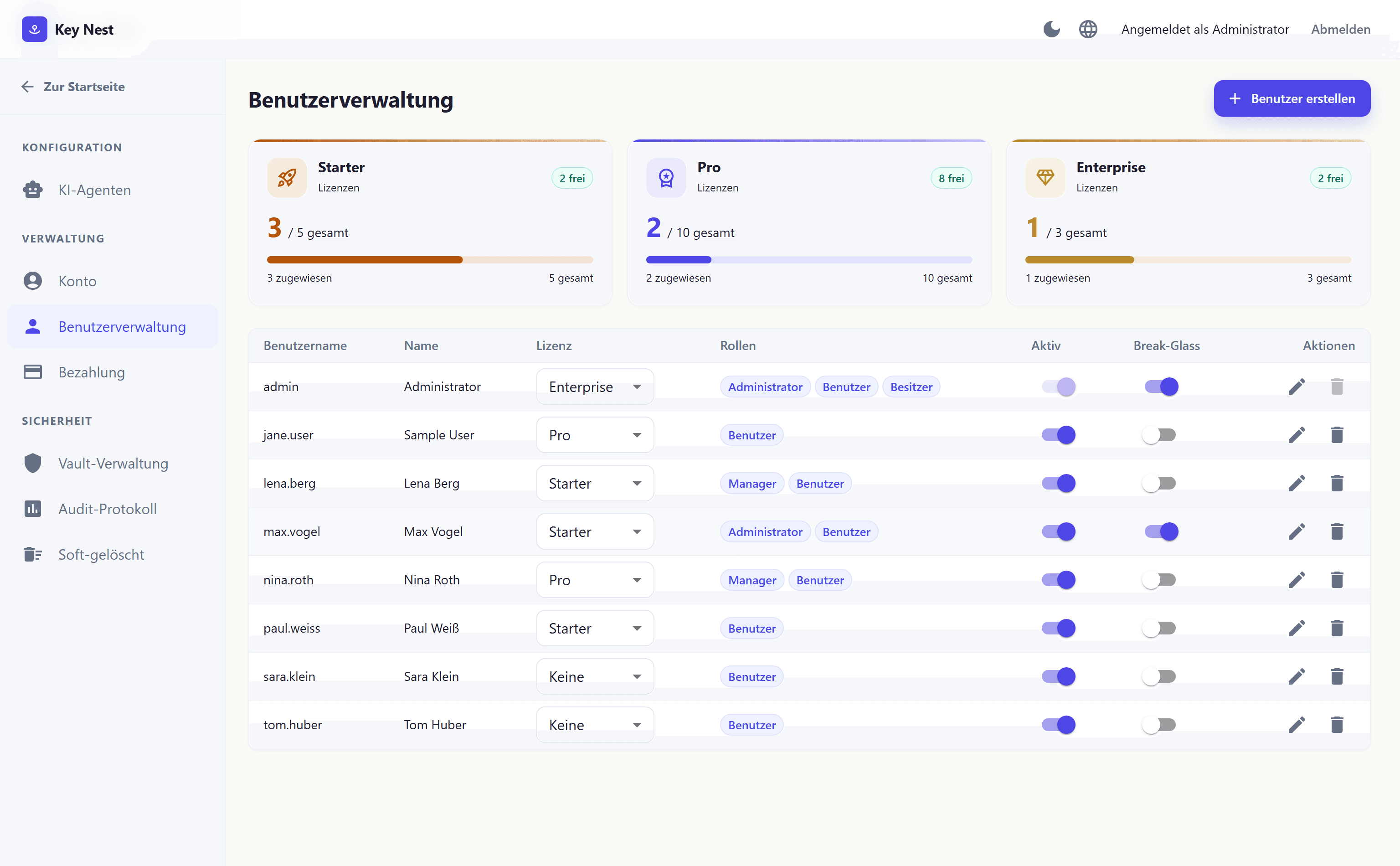
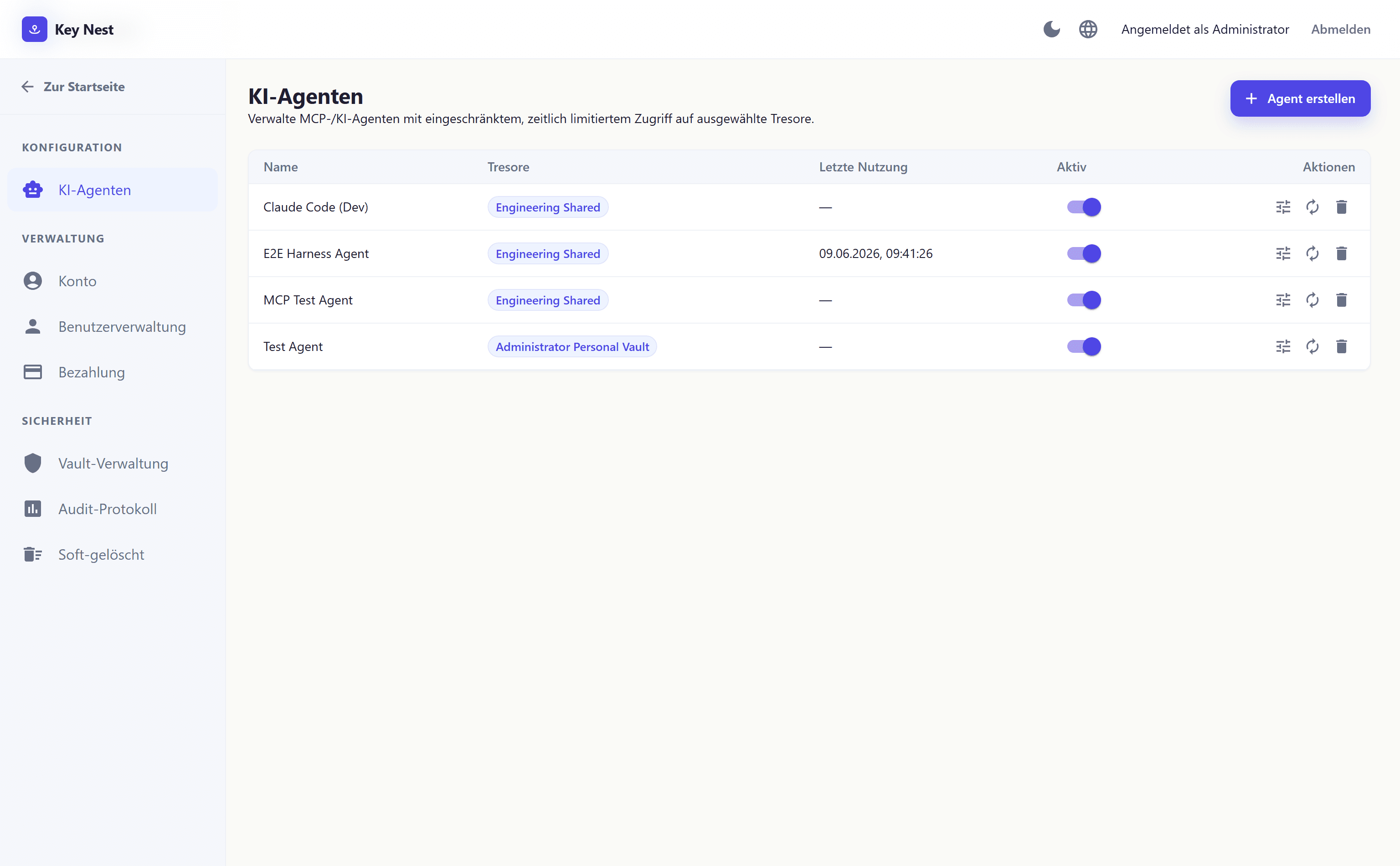
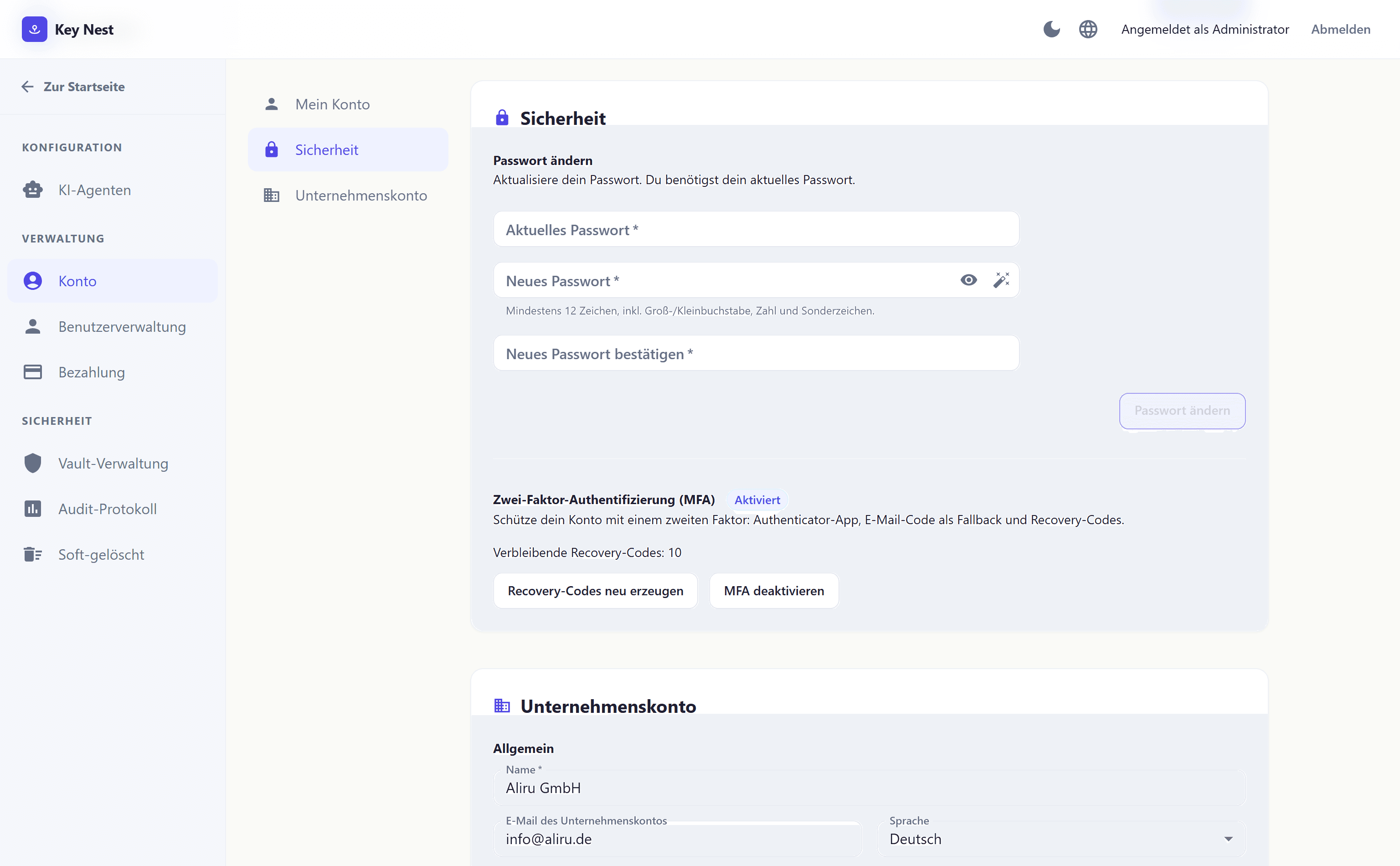
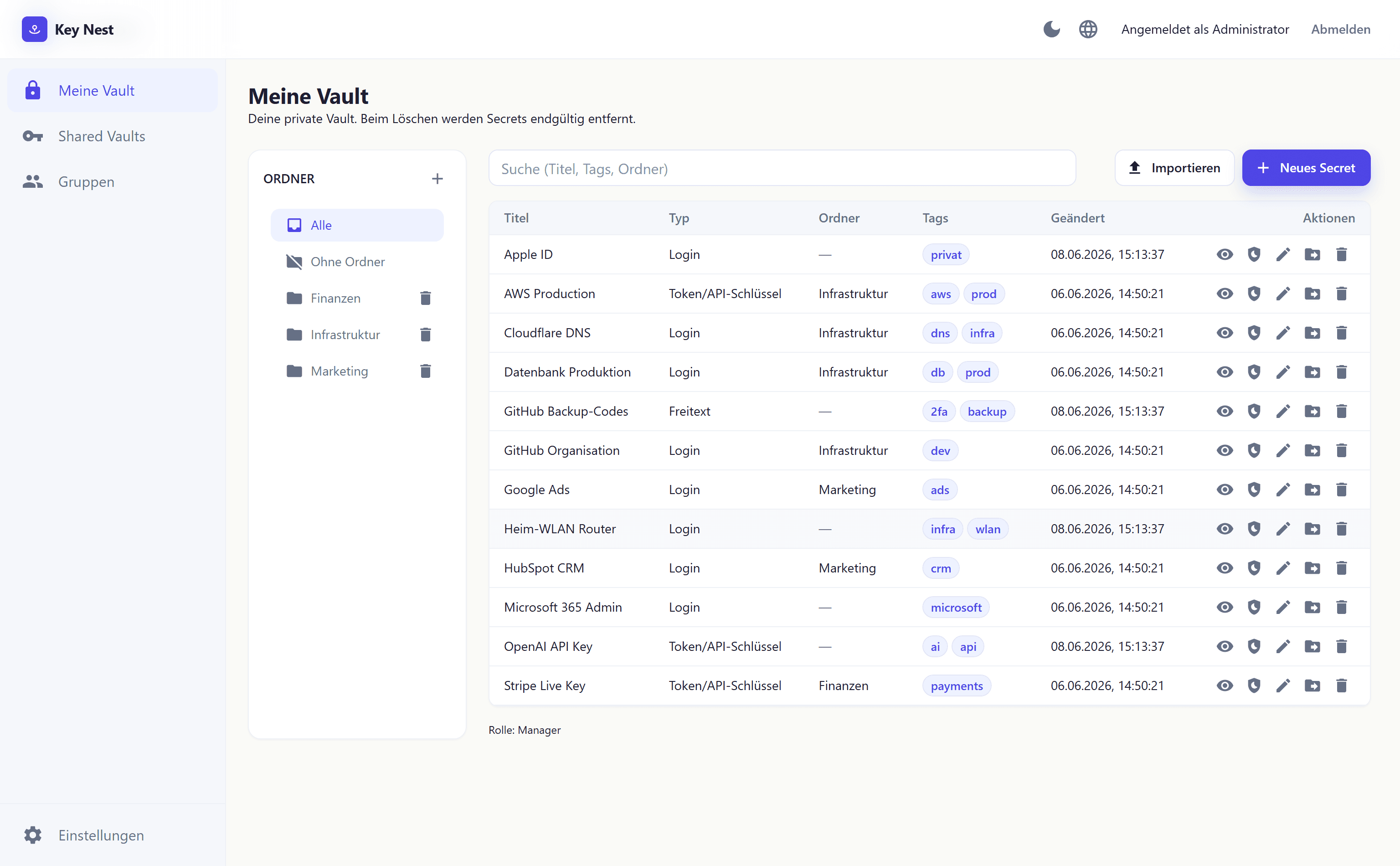
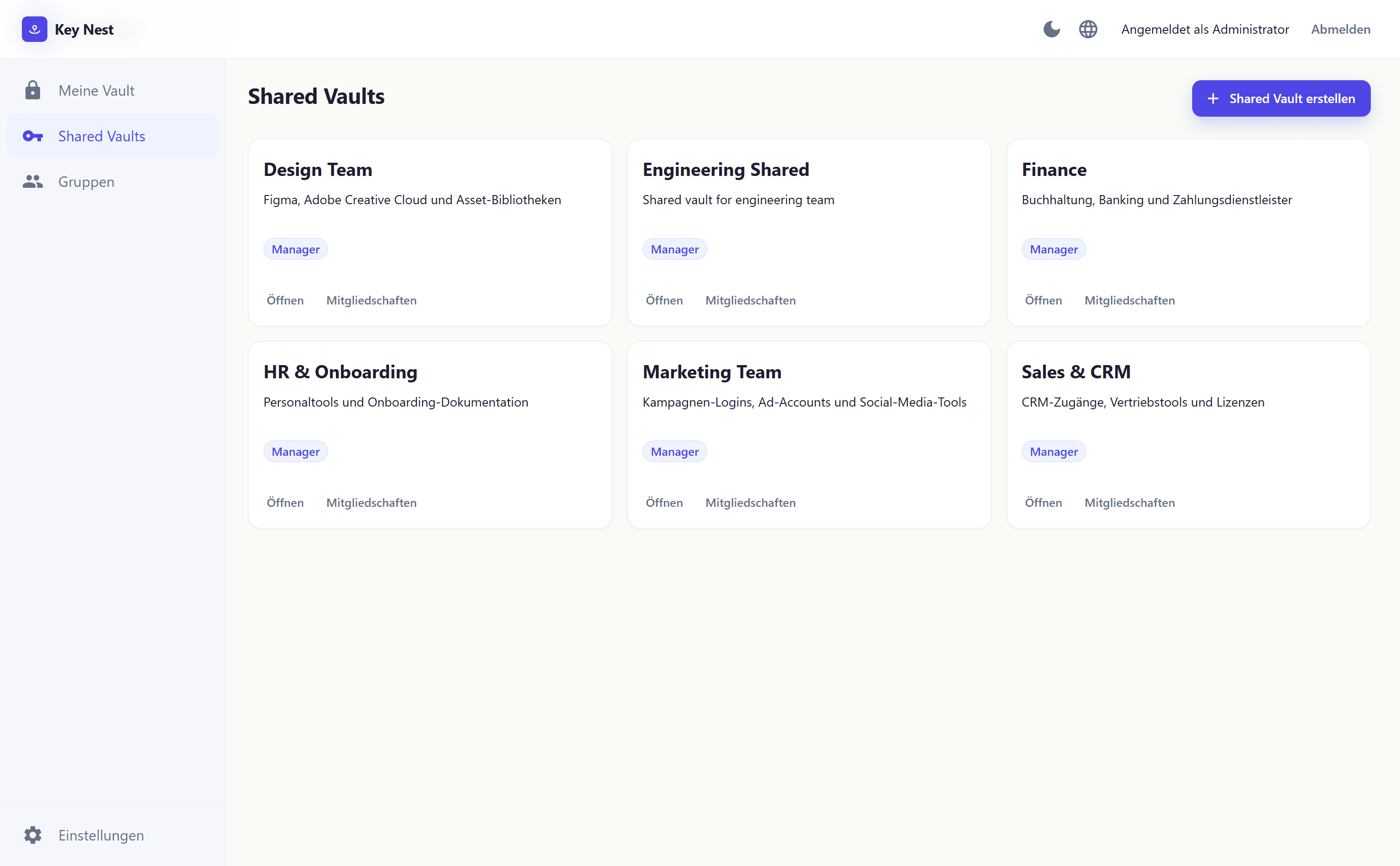
My vaultShared vaultsUsers & rolesAI agentsTwo-factor protection

My vault

End-to-end encryption
SOC 2 compliant
Trusted by 2,000+ teams
Made in Germany
Why Key Nest?

End password chaos

Your team shares passwords via Slack, email, or sticky notes? That's a security risk – and a time sink.

Without Key Nest

  • Passwords in Slack messages and emails
  • No overview of who has access to what
  • Shared logins without tracking
  • Weak and reused passwords
  • Offboarding is a security risk
  • Colleague on vacation – nobody can access urgently needed credentials

With Key Nest

  • A central, encrypted vault for everything
  • Role-based access control (RBAC)
  • Complete audit log for every access
  • Built-in password generator
  • One-click offboarding – revoke access instantly
  • Shared team vaults – substitute has access immediately, no calls to vacation
Who Key Nest is built for

Built for small teams, not enterprises

Key Nest is built for startups, agencies, SaaS teams, and small businesses up to ~50 employees – teams that need to share access quickly but have neither time nor desire for enterprise security software. No training, no IT department, no twelve-week implementation.

A key vault (password vault) is a central, encrypted database where teams store and share passwords, API keys, license keys, and other credentials. Unlike a personal password manager, the focus is on shared vaults, role-based permissions, and clean offboarding. The critical security property: strong encryption – every vault is end-to-end encrypted with AES-256; the key stays with the team, not the provider.
Features

Six functions for a modern team.

We deliberately reduced Key Nest to the essentials. No feature lists nobody uses – just what a team and its AI tools really need.

Zero-knowledge encryption

Every vault is end-to-end encrypted: the key is generated in the members' browsers and shared only with them. The Key Nest server stores ciphertext only (AES-256-GCM) and holds no key – it cannot decrypt the contents. For emergencies, your company keeps access via its own self-controlled recovery.

New

Two-factor, twice over

Protect your Key Nest account with MFA (authenticator app, email code, recovery codes) – and store each website's 2FA key with its saved login. Key Nest displays the one-time codes live, including a dedicated field for backup codes.

MFATOTPBackup-Codes
Learn more

Team vaults

One vault per department, project, or client. Everyone sees only what's relevant to them.

Learn more

Roles & permissions

Read, edit, share, or manage – you decide per person and vault what's allowed. When someone leaves the team, one click revokes all access.

Learn more
New

Browser extension

Auto-fill directly in your browser – for Chrome, Edge, and Firefox. Detects login forms, suggests matching entries, and unlocks in a flash with a PIN instead of your master password every time.

ChromeEdgeFirefoxPIN
Learn more
New

AI agent access via MCP

Claude, Cursor, GPT & other AI tools securely access scoped, time-limited credentials via Model Context Protocol – no more pasting API keys into chat windows.

ClaudeCursorGPTMCP
Learn more
How it works

Up and running in three steps

No IT setup, no server migration. Your team is onboarded in under five minutes.

1

Create account

Sign up with your work email. Pick a master password, done.

2

Invite team

Invite teammates by email. Assign roles and vault access right away.

3

Migrate passwords

CSV import from LastPass, 1Password, KeePass, or your browser. Or start fresh.

4

Connect AI tools

Wire up Claude, Cursor & co. via Model Context Protocol – your team never pastes secrets into prompts again.

What our customers say

Teams trust Key Nest

★★★★★

Passwords were scattered across five different tools. Key Nest cleared that up in a week – no training needed.

Lisa Müller
CTO, byteforge GmbH (22 people)
★★★★★

Our last offboarding took two minutes for 23 logins. Used to be half a day – and we'd always miss something.

Marc Fischer
Founder, indie agency (8 people)
★★★★★

The MCP integration was the game-changer for us. Our devs stopped pasting API keys into Cursor – that alone is worth the price.

Janine Köhler
Head of Ops, SaaS startup (15 people)
Compliance & certifications

Audited security, not just promised.

Key Nest doesn't just meet the GDPR — behind it stands a company with internationally recognized certifications.

Verified
ISO 27001
Information security
Verified
ISO 9001
Quality management
Verified
ISO 14001
Environmental management
Verified
SOC 2 Type II
Trust services
Verified
GDPR
EU data protection
Verified
Made in Germany
Hetzner Nuremberg
Pricing

Transparent and fair

Three plans, no sales call. Free for small teams, a clear per-user price as you grow – and a dedicated Enterprise plan when you need full guarantees.

Starter
0
Für kleine Teams bis 5 Nutzer
  • Bis zu 5 Nutzer
  • Unbegrenzte Passwörter
  • 2 Team-Tresore
  • Browser-Extension
  • Zwei-Faktor-Auth
Start free
Popular
Pro
4/ user / month
Für wachsende Teams
  • Unbegrenzte Nutzer & Tresore
  • Rollen & Berechtigungen
  • Ein-Klick-Offboarding
  • Audit-Log
  • Priority Support
  • KI-Agent-Zugriff via MCP (Claude, Cursor, GPT)
Get started
Enterprise
Enterprise
10/ user / month
Für Teams mit Compliance- & SLA-Anforderungen
  • Alles aus Pro
  • Persönlicher Customer Success Manager
  • Support-Garantie: Reaktion innerhalb 4 h
  • Unbegrenzte Agent-Identitäten + Anomalie-Erkennung
  • 99,9 % Uptime-SLA & individuelle DPA
  • Onboarding-Workshop für Ihr Team
Contact sales
FAQ

Frequently asked questions

Book a meeting

Personal consultation & demo

In 20 minutes we'll show you Key Nest live and discuss the right plan for your team.

1Your team
2Date & contact
licenses
Common:

Ready to secure your team?

Up and running in under 3 minutes. No credit card, no IT department, no sales call.

Start free now
Key Nest – Password Vault for Small Teams up to 50 People